What you can do with it
- Bring users back. "We miss you" after a number of days away, sent at the time of day they last used the app.
- React to what users do, a while after an event your app already tracks (
level_failed,note_created), unless they came back in the meantime. - Friendly rivalry. "Anna beat your score" when someone passes a player in a leaderboard's top 100, with the name, score and leaderboard filled in.
- Start from an example in the dashboard, then change the timing, the message, who gets it and the screen it opens.
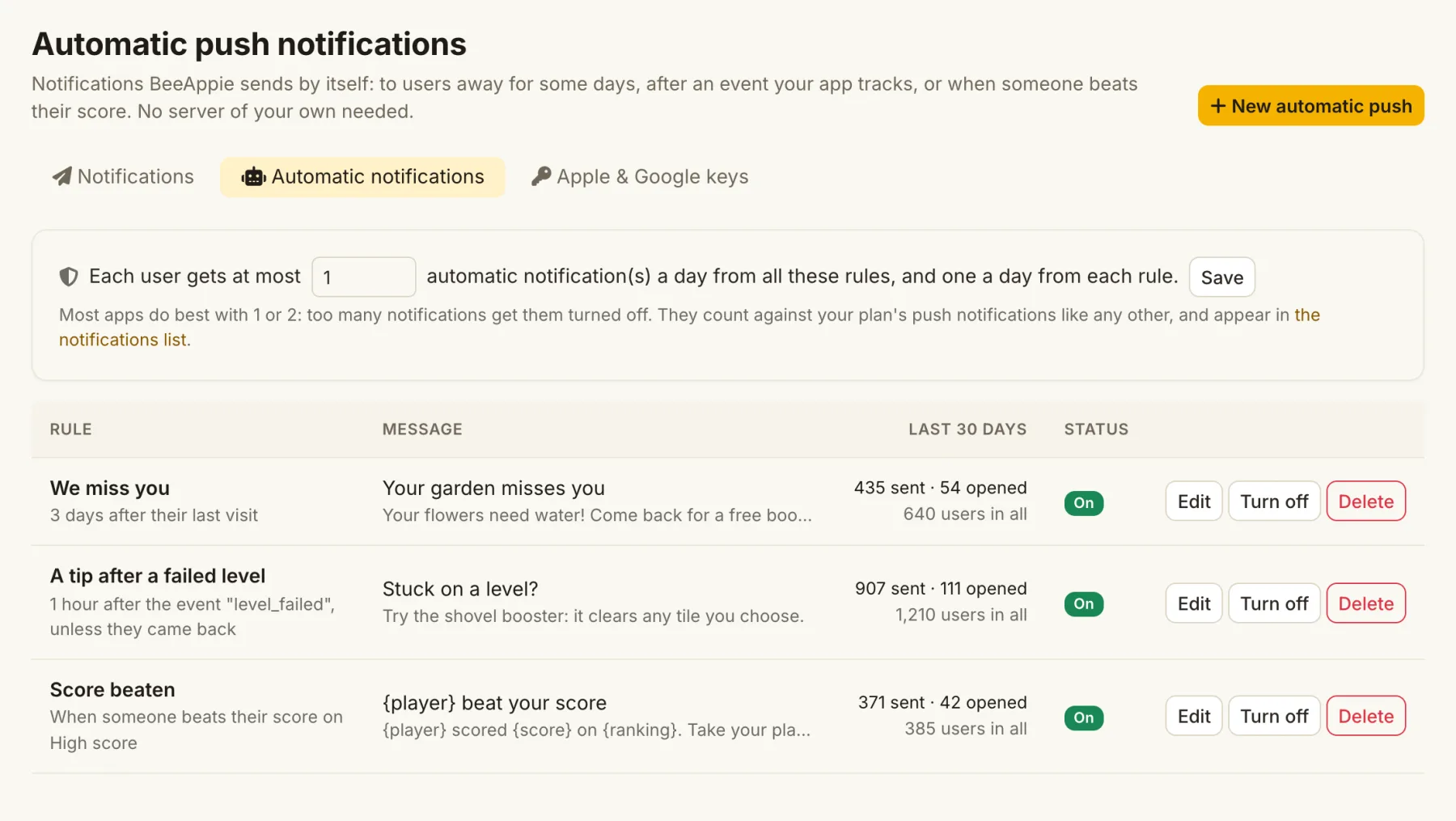
- Never too many. Each user gets at most one automatic notification a day (up to 10 if you choose), and a rule can wait days before telling the same user again. Each rule shows what it sent and how many opened it.
An example
Three rules, no server
Puzzle Garden runs three rules. Players who haven't played for three days get Your garden misses you. An hour after a level_failed event, a player who hasn't come back gets a tip about the shovel booster. And when someone passes them on the high-score board, players in the top 100 hear about it. Nobody at Meadow Labs runs a server for any of it: the rules use the events and scores the game already sends.
In your app
BeeAppieSdk.Instance.TrackEvent("level_completed",
    new Dictionary<string, string> { ["level"] = "3" });
BeeAppie.trackEvent("level_completed", mapOf("level" to "3"))BeeAppieSDK.trackEvent("level_completed", properties: ["level": "3"])BeeAppie.trackEvent('level_completed', properties: {'level': '3'});BeeAppie.trackEvent('level_completed', { level: '3' });BeeAppieSdk.TrackEvent("level_completed", new Dictionary<string, string> { ["level"] = "3" });The same in every SDK, and over the HTTP API for anything else. Read the events guide.
Plans
Paid plans, with more rules per app on the larger ones.