What you can do with it
- Settings that follow the user. Theme, sound, language: set once, the same on their phone, their tablet and the next phone they buy.
- Save slots and progress for games, with no server code: a player who reinstalls, or moves from Android to iPhone, carries on where they left off.
- Lists, favourites and drafts. Anything small, one item per key, in collections you name.
- Works offline. Reads come from the copy on the device; writes apply at once and are sent when the device is back online. When another device changes something, your app is told.
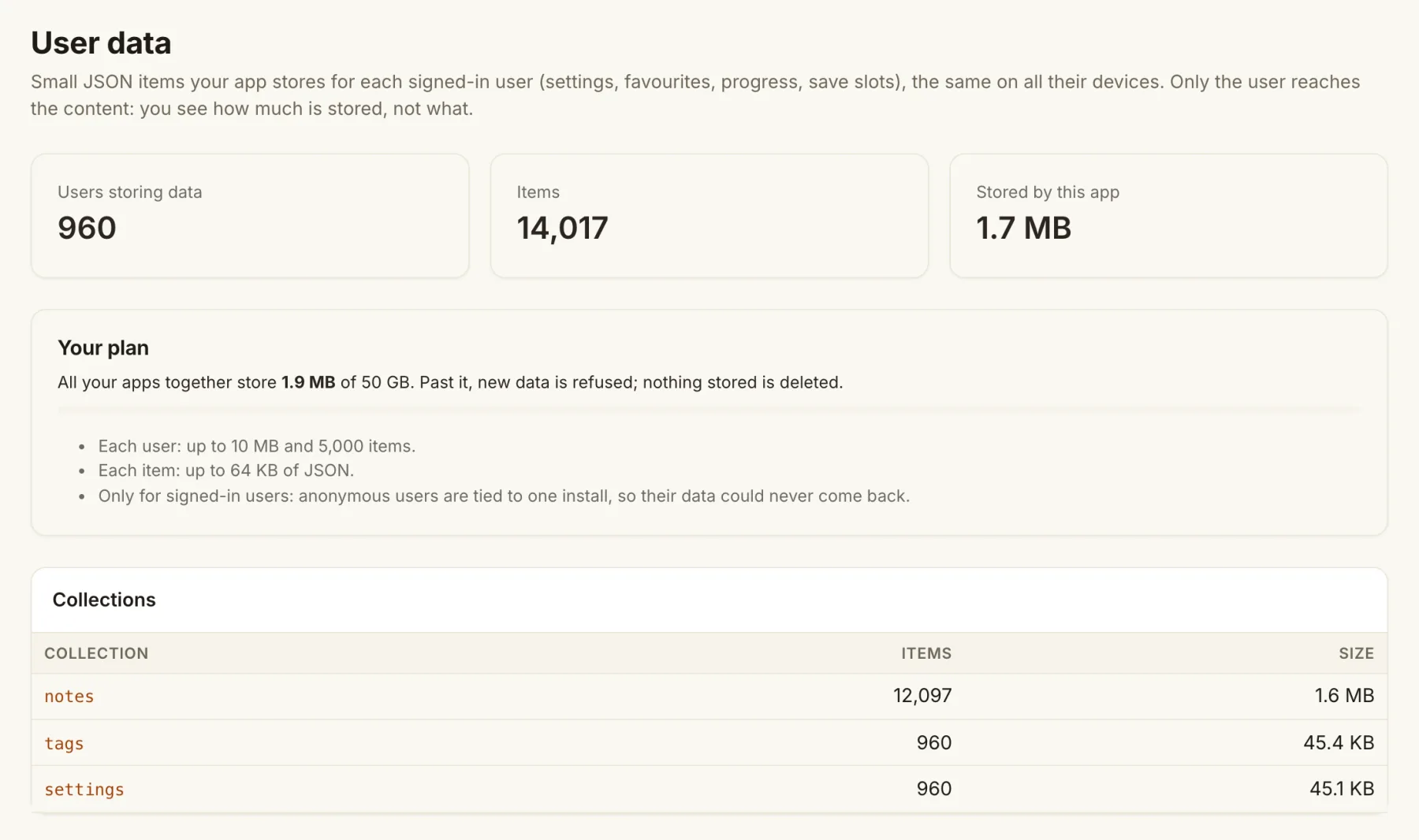
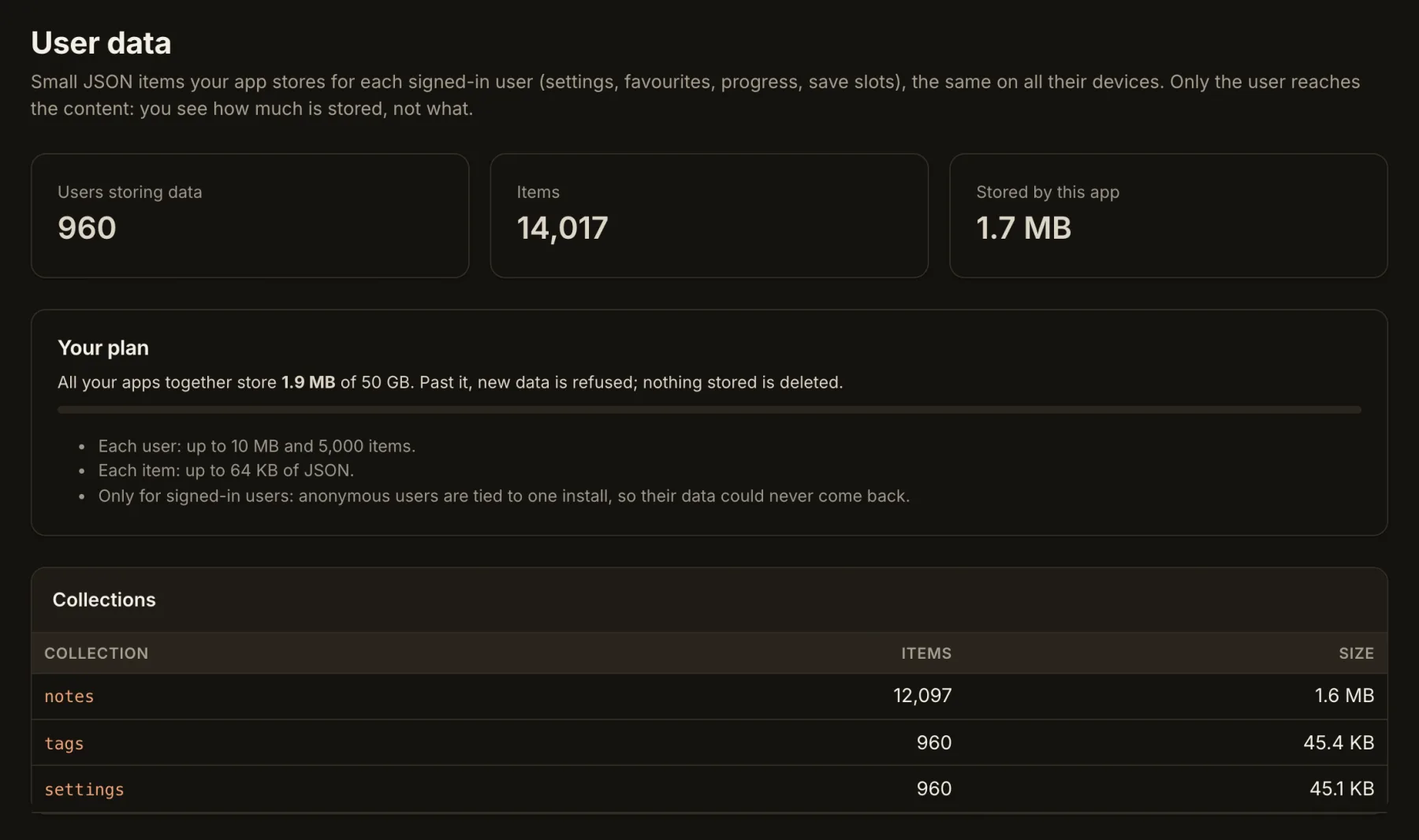
- Private to the user, not end-to-end encrypted. Your dashboard shows how much each user stores, not what. The content is in the user's own data export and in your app's, and deleted with them. It's encrypted in transit and at rest, but BeeAppie's servers can read it: don't store passwords, keys, health or financial data, or encrypt them in your app first.
An example
Notes that are there on every device
Jotter keeps each note as an item in a notes collection, and the user's preferences in settings. A user writes a shopping list on the train with no signal: it's saved on the phone at once and sent when they arrive. At home, the iPad shows it. A year later they get a new phone, sign in with Apple, and all their notes come back. Jotter never ran a server for any of it.
In your app
var data = BeeAppieSdk.Instance.UserData;
data.Put("settings", "main", new Settings("dark", 14));     // on the device at once, sent when online
var settings = data.Get<Settings>("settings", "main");      // from the device, also offline
var saves = data.List<SaveSlot>("saves");                   // every item of a collection, by key
data.Delete("saves", "slot-3");
data.Changed += (_, _) => Reload();                         // another device changed something
val data = BeeAppie.userData
data.put("settings", "main", Settings("dark", 14), Settings.serializer()) // on the device at once, sent when online
val settings = data.get("settings", "main", Settings.serializer()) // from the device, also offline
val saves = data.list("saves", SaveSlot.serializer()) // every item of a collection, by key
data.delete("saves", "slot-3")
data.onChanged = { reload() } // another device changed somethinglet data = BeeAppieSDK.userData
data.put(Settings(theme: "dark", size: 14), in: "settings", key: "main") // on the device at once, sent when online
let settings = data.get(Settings.self, in: "settings", key: "main") // from the device, also offline
let saves = data.list(SaveSlot.self, in: "saves") // every item of a collection, by key
data.delete(in: "saves", key: "slot-3")
data.onChanged = { reload() } // another device changed somethingfinal data = BeeAppie.userData;
await data.put('settings', 'main', {'theme': 'dark', 'size': 14}); // on the device at once, sent when online
final settings = await data.get('settings', 'main'); // from the device, also offline
final saves = await data.list('saves'); // every item of a collection, by key
await data.delete('saves', 'slot-3');
data.onChanged = () => reload(); // another device changed somethingconst data = BeeAppie.userData;
await data.put('settings', 'main', { theme: 'dark', size: 14 }); // on the device at once, sent when online
const settings = await data.get('settings', 'main'); // from the device, also offline
const saves = await data.list('saves'); // every item of a collection, by key
await data.delete('saves', 'slot-3');
data.onChanged = () => reload(); // another device changed somethingvar data = BeeAppieSdk.UserData;
data.Put("saves", "slot-1", new SaveSlot { Level = 3, Coins = 120 }); // on the device at once, sent when online
var slot = data.Get<SaveSlot>("saves", "slot-1"); // from the device, also offline
var slots = data.List<SaveSlot>("saves"); // every item of a collection, by key
data.Delete("saves", "slot-3");
data.Changed += Reload; // another device changed somethingThe same in every SDK, and over the HTTP API for anything else. Read the user data guide.
Plans
Paid plans. Each plan sets how much all your apps may store together, how much each user may store, and the size of an item.